
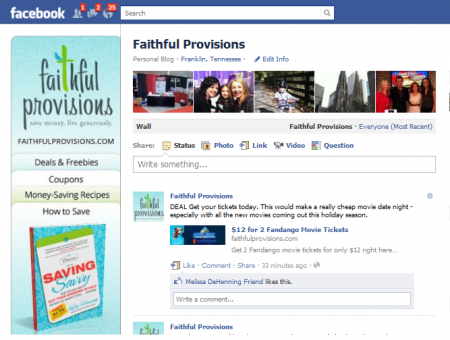
 I have had quite a few complaints from readers about how since the recent Facebook changes they have not been seeing their Faithful Provisions Facebook updates in their News Feed.
Not seeing our updates in your news feed? Following the instructions below to easily change that!
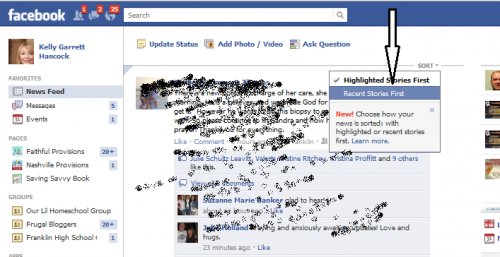
- Make sure to select ‘Recent Stories’ on your news feed page to see our updates


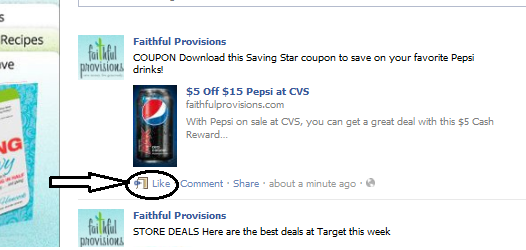
- Then, “Like” our posts to let Facebook know you want to see our content.

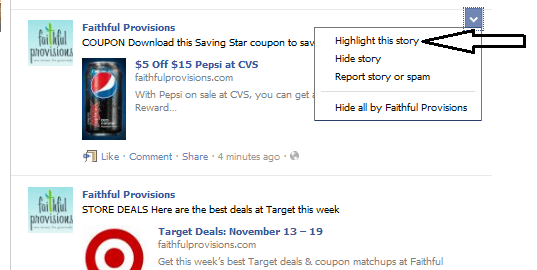
- You can also make our posts a ‘Top Story‘ via the “Highlight this Story” in the upper righthand corner of our posts in your feed.


If you haven’t already, be sure to “Like” us on Facebook to get instant alerts about the latest deals.
Anyone having problems, please let me know!